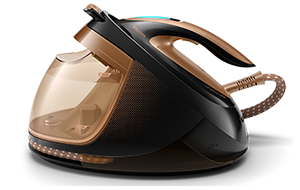
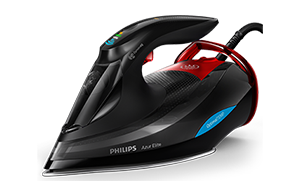
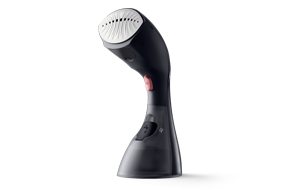


Select your steam iron
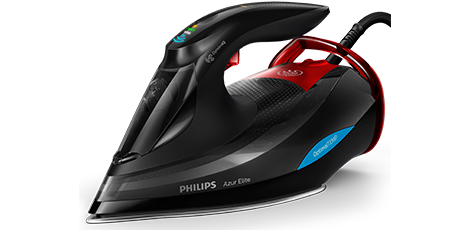
You can find the product name on the side of your steam iron
It is very easy to find the name if your steam iron. Just look at the right or left side of your steam iron. The name of your product is written there such as Azur Elite, Azur Advanced etc...
Why descale a steam iron?
Over time, steam irons can build up scale. The harder the water in your area, the faster scale impurities develop and solidify, if not cleaned away. Regular descaling prevents problems such as white/brown stains on your clothes, brown water and leaking. Cleaning your iron regularly keeps steam output at its highest and extends the lifetime of your steam irons. Learn how to descale a steam iron below.
How to clean your steam iron
Self Clean function
All Philips steam irons

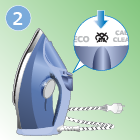
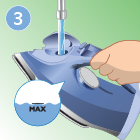




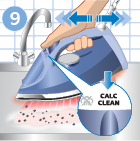
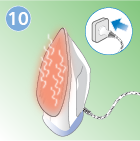
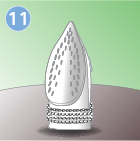
How to Descale a Philips Steam Iron
Quick Calc Release function
Azur Performer Plus (GC4501, GC4510, GC4511, GC4512, GC4513, GC4514, GC4520, GC4521, GC4522, GC4523) | Azur Pro ( GC4880, GC4884, GC4885)
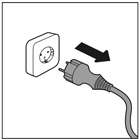
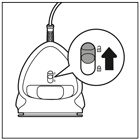
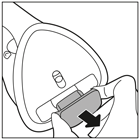
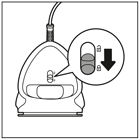
See how to clean your Philips iron
Quick Calc Release function
Azur Elite (GC503X) | Azur Elite Avanced (GC493X) | Azur (GC490X, GC45XX)
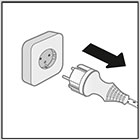
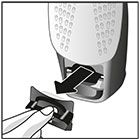
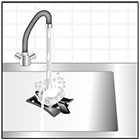
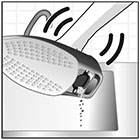
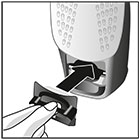
See how to clean your Philips iron
Built-in Calc Container function
Azur Performer Plus (GC4506, GC4515, GC4516, GC4517, GC4518, GC4519, GC4525, GC4526, GC4527, GC4528) | Azur Pro (GC4881, GC4882, GC4886, GC4887, GC4889)
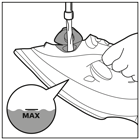
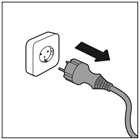
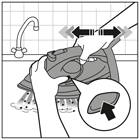
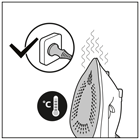
See how to clean your steam iron
Frequently Asked Questions about Philips Steam Irons
- Should I use demineralized or ironing water to prevent limestone in my steam iron?
-
Using the right type of water will help prolong your Philips steam iron’s lifespan. Your Philips steam iron has been designed to be used with tap water. However, if you live in an area with hard water, fast scale build-up may occur.
We recommend using distilled or demineralized water (50% demineralised water mixed with tap water could be used too) for all Philips steam iron: it prevents limestone build up in the appliance.
Please never use ironing or perfumed water, water from the tumble dryer, vinegar, starch, descaling agents, ironing aids, chemically descaled water or other chemicals as they may cause water spitting, brown staining or damage to your steam iron. your Philips steam iron. By using these, your steamer gets contaminated and might get damaged or fail.
To perfume your clothes, we recommend you choosing one of the following options:
- Using perfumed washing softener
- Using essential oils (aromas) during washing
- Spritzing perfumed water after ironing or steaming
- How often should I descale my iron for best steaming results over time?
-
We recommend descaling your iron every 1-2 months. By cleaning your iron regularly, all calc particles will be removed and the lifetime of your appliance will be longer.
- Do I need to descale my steam iron even though I always use demineralized water?
-
When you are always using demineralized water, there will be no limestone built up in your iron. However, in some irons the descaling light will blink based on the time that the appliance is been used. In this case, please complete the descaling routine in order to use the iron again.
- Do I need to descale my steam iron even though I’m always emptying my Quick Calc Release?
-
Yes, we recommend descaling your Philips iron every 1-2 months. The Quick Calc release collects many loose calc particles, but not all. By descaling your iron regularly, all calc particles will be removed and your appliance will have a longer lifetime.
- I’m not sure what iron model I have and which descaling routine should I use
-
When you are not sure what descaling routine you should use, you can always find the correct instructions in the user manual.
If you do not have the user manual anymore, please try to find your iron model number on your iron (it should look like GCXXXX ). Knowing this number, you can find all the product information on the Philips website. If you have any questions, please always feel free to contact Philips Consumer Care
Contact us
For any questions or queries about your Philips Garment Care products
Call us: 0800 658 224 Mondays to Saturdays: 9:00 am - 9:00 pm
Our Consumer Care team is always here to support and help you.

